 Do you want to start a podcast?
If so, that's great!
Right now is the perfect time to get started.
Podcasts are my current favorite way of giving and receiving information.
Recording the Bold and Determined Podcast is my favorite thing to do on this earth. I can speak directly to my people.
Listening to podcasts on long car-rides through the countryside is my 2nd favorite thing to do.
The podcast is fantastic because anybody can start a podcast and anybody can listen to your podcast.
You are not bound by rules of traditional broadcasting, which is good because traditional radio is dead and podcasts are king of the airwaves these days.
If you have something you want to say, you can say it on your own podcast. Anybody who wants to hear what you have to say can listen to your podcast.
Unlike traditional radio, there are no barriers to entry into the world of podcasting.
Absolutely anybody can start their own podcast, including you. The only barrier to entry is your own mind.
If you are ready to break through mental barriers that say “I can't start my own podcast!” then you can do anything you want to do.
Literally the only thing you have to do to start your own podcast is record yourself talking and upload it to the internet. It could not be easier.
But if you want good quality audio there is some work involved.
I'm going to show you exactly how to start your own podcast.
This is a 3-part series. In the first part we're going to discuss the equipment you need to start your own podcast.
In part 2 of this series I will show you exactly how to use your equipment to record your podcast.
In part 3 of this series I will show you how to upload your podcast to iTunes, Soundcloud, YouTube, Spotify and many of the other most popular channels for podcasts.
Let's say we get started on part 1….
So You Wanna Start A Podcast - Part 1: Podcast Equipment
The start-up costs can be as cheap or as expensive as you want them to be.
If you want to be really cheap you can record a podcast directly on your phone.
If you want your podcast to have radio quality sound you could expect to pay perhaps $1,000 to get started. If you want a good quality, moderate expense you could start with a few hundred dollars.
For your podcast setup I'm going to give you 4 options:
- The ultra-cheap option (poorest sound quality)
- The cheap option (poor sound quality)
- The midrange option (good sound quality)
- The high-end option (great sound quality)
With a higher cost comes better quality sound. With a lower cost you get lower quality sound.
Let's begin with our mic selection…
Podcast Mic Options
A microphone or “mic” is the one thing any podcaster absolutely needs. Sure you could record directly into your phone but the quality will be very bad.
For even the cheapest podcasters I recommend you purchase a mic.
For the Cheap Charlies who want to start a podcast without any large costs I recommend you purchase a USB mic.
A USB mic will plug directly into your computer, you will not need a mixer or an audio interface. You can plug the mic directly into the computer and easily record your podcast.
Here are 2 USB mic options…
Ultra-Cheap Podcast USB Mic Option
The cheapest quality Podcast Mic you can buy is the Blue Snowball iCE Condenser Microphone
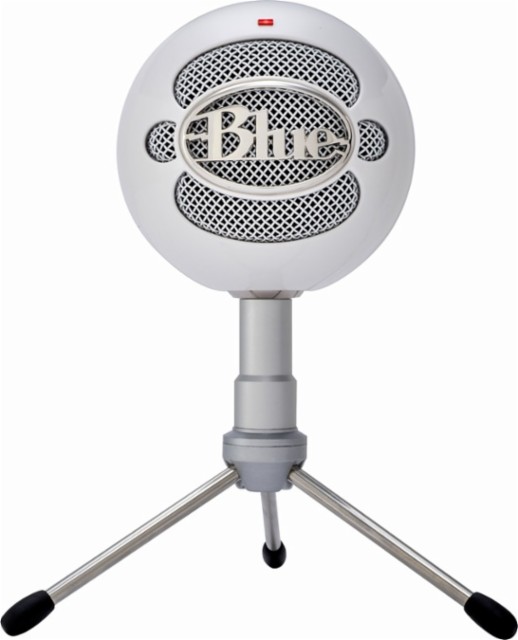
Price as of writing this article: ($39.99)
Does this mic need any of the following:
- Mic stand: No
- Mic Cable: No
- Headphones: No
- Audio Interface: No
You can purchase the Blue Snowball iCE and make a podcast with no other hardware required.
Here is an example of how the Blue Snowball iCE sounds…
Best Cheap Podcast USB Mic Option
If you want a good cheap option I would recommend the Blue Yeti USB mic.
You don’t need an interface with it and the quality is pretty decent (all of the B&D; recordings done before 2016 were done with the Blue Yeti).
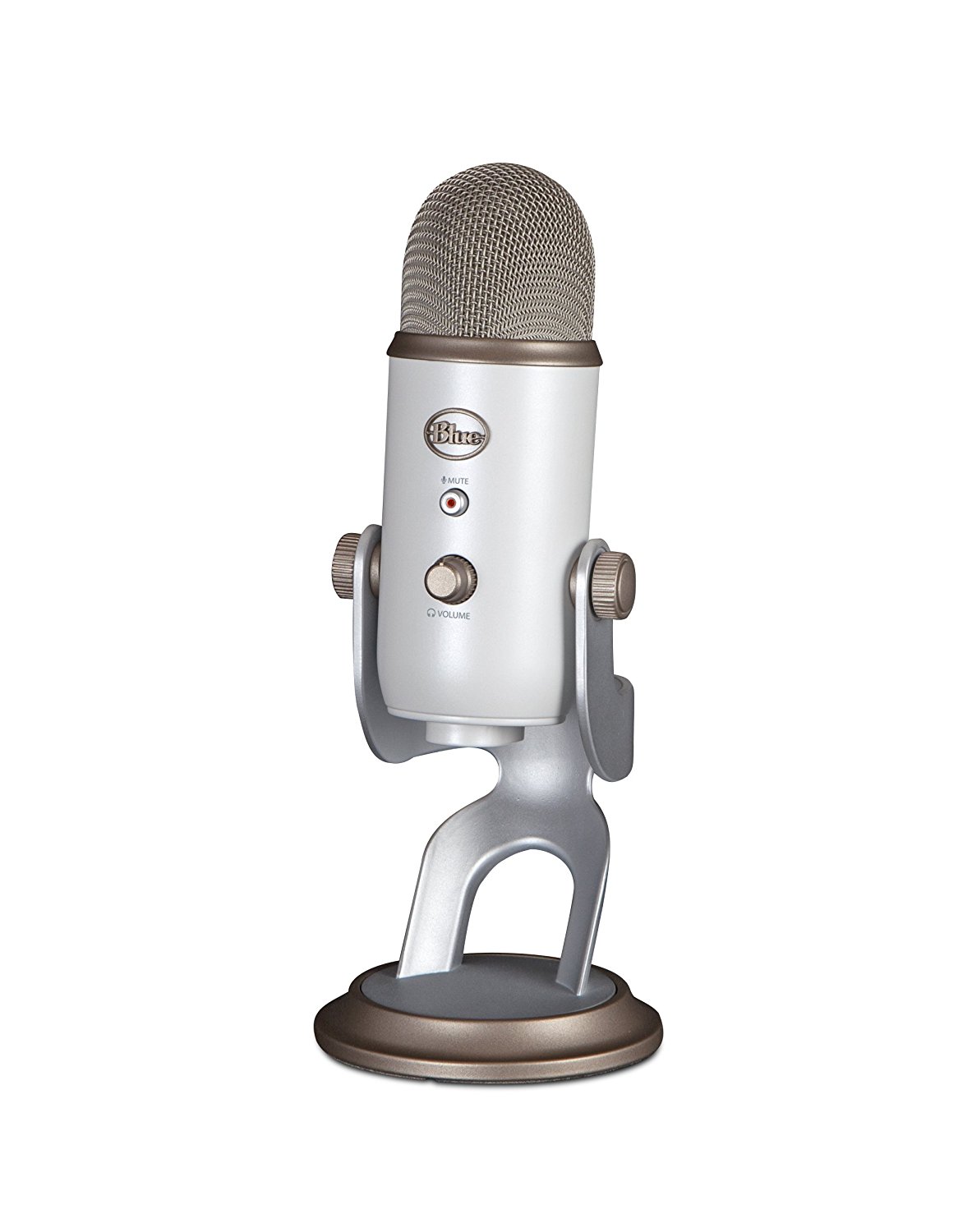
Price as of writing this article: ($129.99)
Does this mic need any of the following:
- Mic stand: No
- Mic Cable: No
- Headphones: No
- Audio Interface: No
You can purchase the Blue Yeti Mic and make a podcast with no other hardware required.
For the cheap Charlie podcasters who want decent quality without a huge budget, I recommend the Blue Yeti. I did all of the very first B&D; Podcasts with it. The quality isn't radio quality, but it is decent and it will work to get you started.
Here is an example of how the Blue Yeti Mic sounds…
Best Mid-Range Podcast Mic
The best midrange podcast mic is the Rode Procaster.
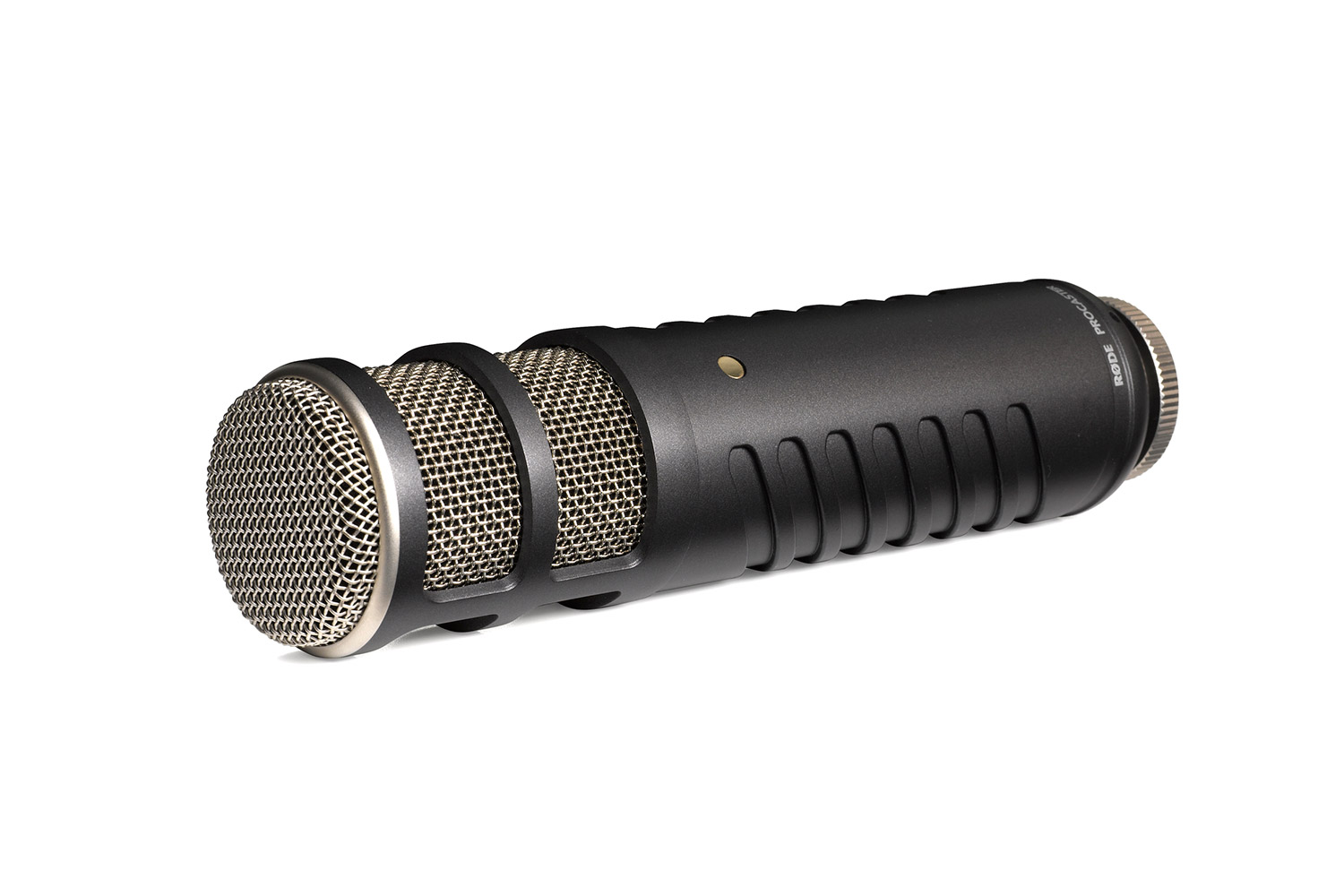
Price as of writing this article: ($229.99)
Does this mic need any of the following:
- Mic Stand: Yes
- Mic Cable: Yes
- Headphones: Yes
- Audio Interface: Yes
- Shock Mount: Yes
If you purchase the Rode Procaster mic you will also want to purchase the Rode PSM1 Shock Mount. This will hold your microphone in place on your mic stand.
This mic will not be able to be plugged directly into your computer, it will require the use of an audio interface. I will explain the need for an audio interface in a following chapter.
Here is an example of how the Rode Procaster Mic sounds…
Best High-End Podcast Mic
The best mic in the game and the podcast industry standard is the Shure SM7B
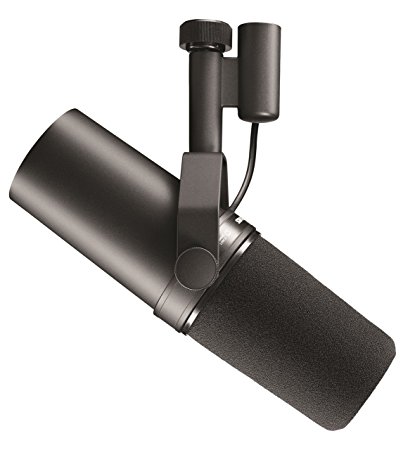
Price as of writing this article: ($399.99)
This is the mic I currently use and I cannot be happier with it.
Most of the high-end podcasts that are filmed for YouTube use the Shure SM7B.
Does this mic need any of the following:
- Mic Stand: Yes
- Mic Cable: Yes
- Headphones: Yes
- Audio Interface: Yes
- Shock Mount: No
This mic will not be able to be plugged directly into your computer, it will require the use of an audio interface. I will explain the need for an audio interface in a following chapter.
Here is an example of what the Shure SM7B sounds like in action…
Mic Stands
Both the Rode Procaster and the Shure SM7B microphones will require a mic stand.
The cheaper USB mics (the Blue Snowball iCE and the Blue Yeti) will not require a mic stand as they come with an attached base on which they can stand.
These are the best mic stands available right now…
Best cheap Mic Stand: MS-12 Mini Foldable Adjustable Desktop Microphone Stand Tripod
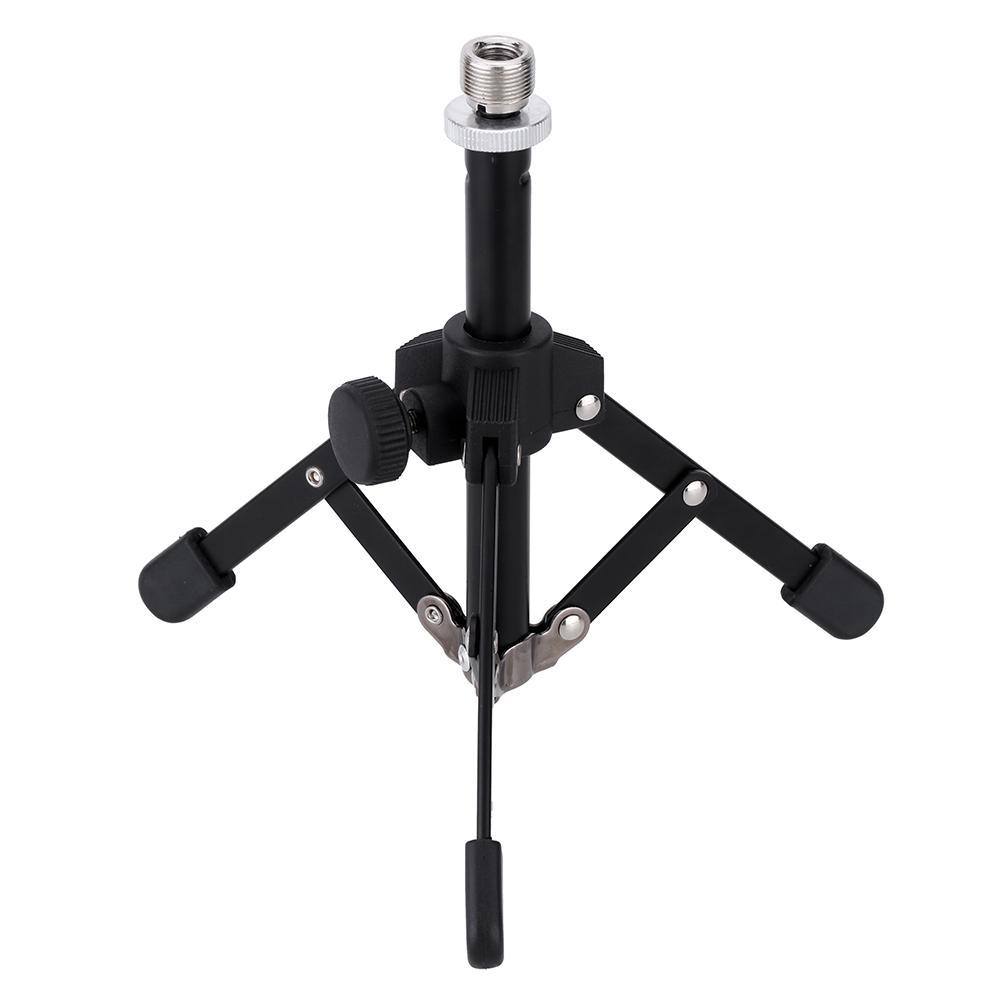
Current price: $10.59
This is a great mic stand for traveling podcasters. It is very lightweight and is steady enough to use on your desk. If you are a traveller, this is the mic stand I recommend. However, if you are podcasting from the same space every day I would recommend a more sturdy mic stand.
Best Midrange Mic Stand: Gator Frameworks GFW-MIC-0821 Short Mic Stand with 4.5″ X 8″ Weighted Base
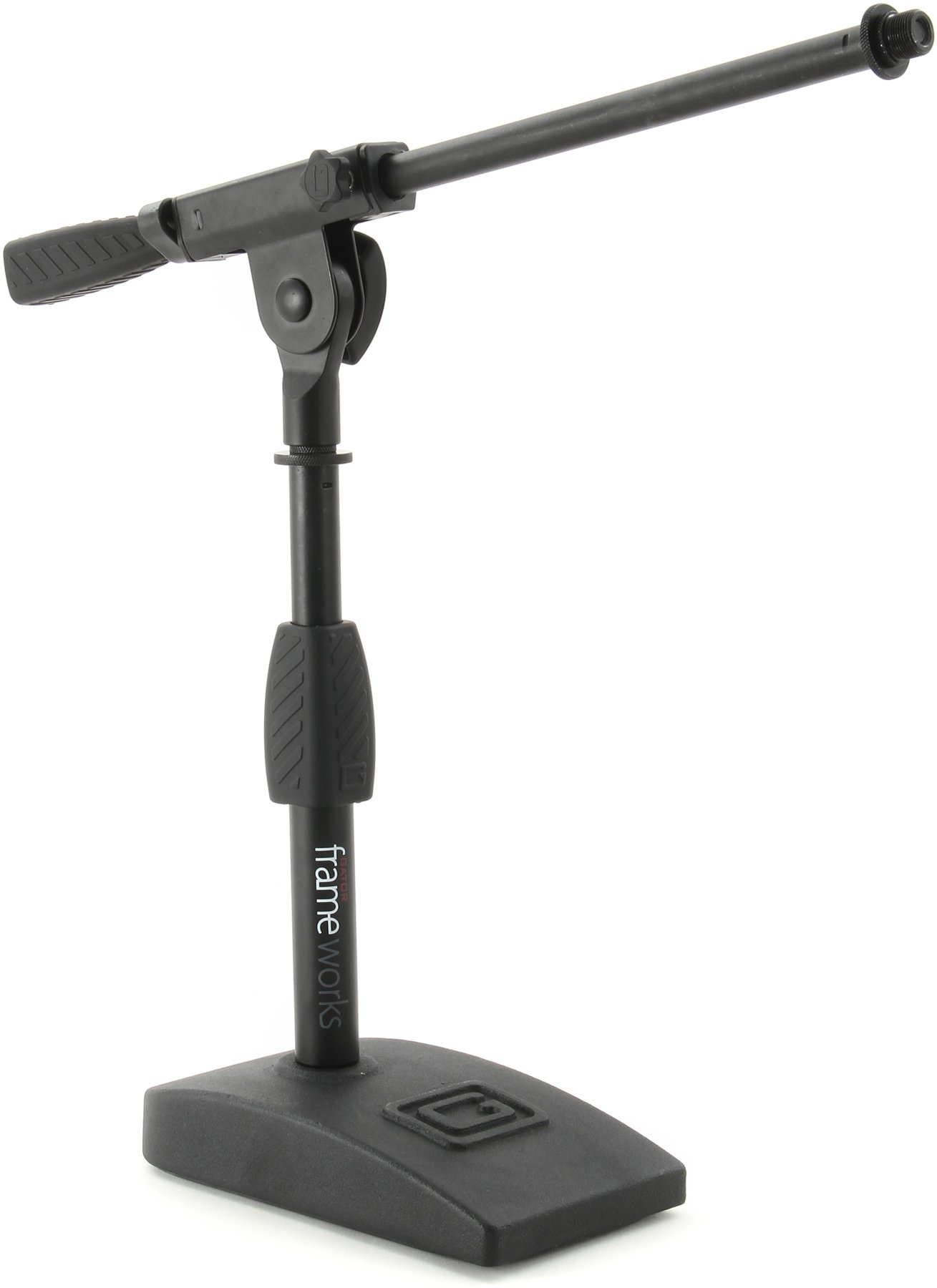
Current price: $34.99
This is a good, strong, sturdy desk-top or table-top mic stand.
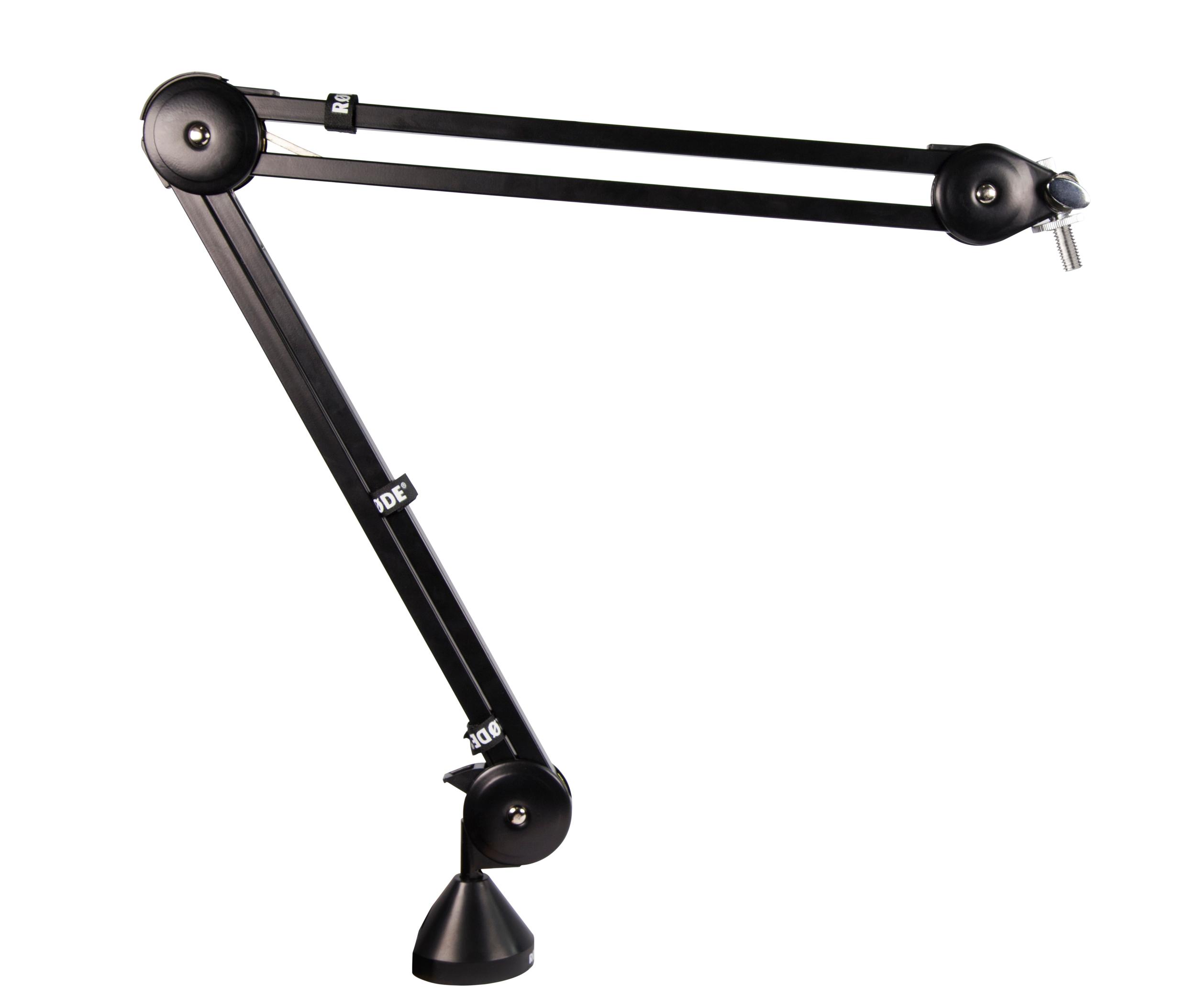
Best High-End Mic Stand: RODE PSA1 Swivel Mount Studio Microphone Boom Arm
Current price: $99
The Rode PSA1 mic arm is the industry standard mic stand for serious podcasters. The PSA1 will clamp directly to your desk or table and will be free to move around.
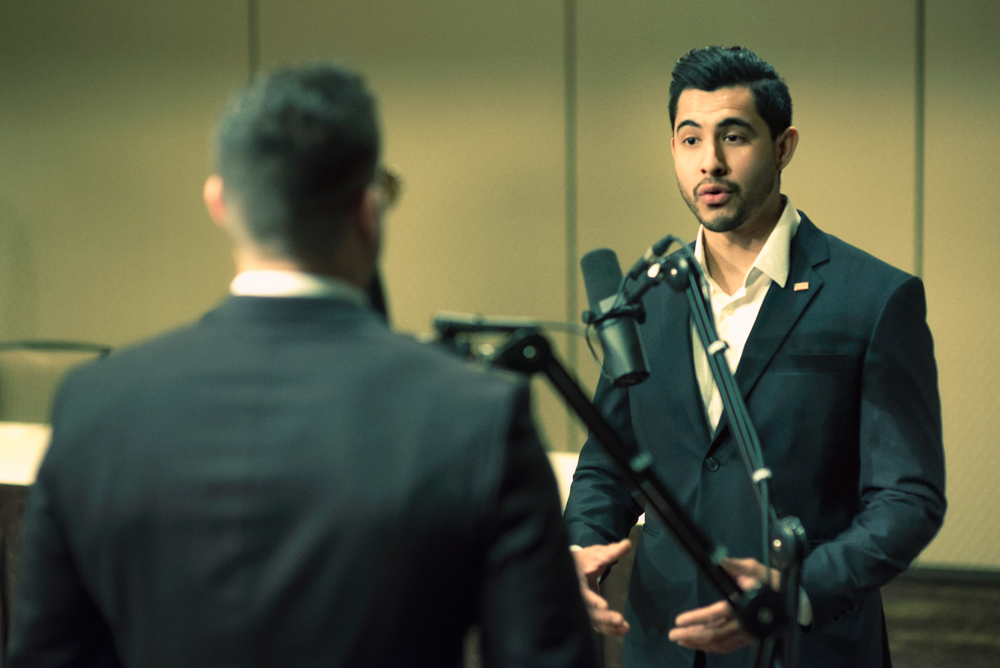
Here is a photograph of myself and my good friend Nestor Mendoza recording a podcast using the Rode PSA1 Mic arm and using the Shure SM7B microphone.
Mic Cables
An XLR male to female microphone cable will attach your microphone to your audio interface.
The cheaper USB mics (the Blue Snowball iCE and the Blue Yeti) will not require a mic cable.
Both the Rode Procaster and the Shure SM7B microphones will require mic cables to connect the microphone to the audio interface.
For the Rode Procaster and the Shure SM7B you will need Male to Female XLR mic cable.
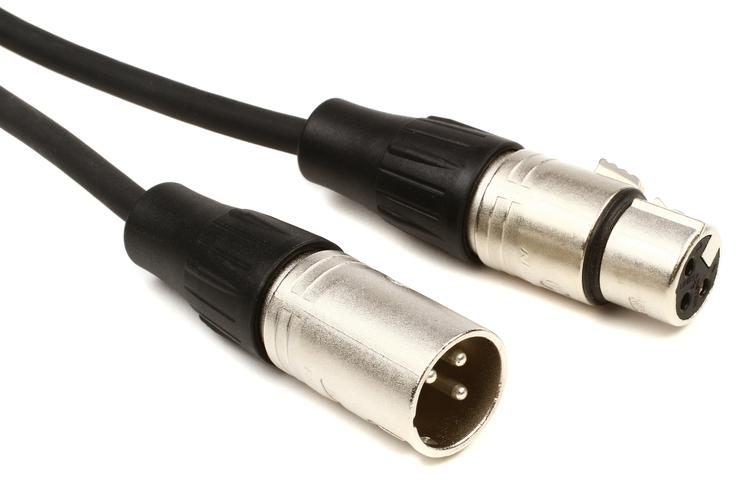
A 10 foot XLR mic cable should cost you under $10.
AmazonBasics makes an XLR Mic cable that currently runs under $7: AmazonBasics XLR Male to Female Microphone Cable - 10 Feet
You will need one mic cable for every one microphone you use. If you have 2 people on a podcast using 2 mics you will need to purchase 2 mic cables etc.
Best Audio Interfaces For Podcasting
You cannot plug a high-powered microphone directly into your computer, it must first pass through an audio interface.
The audio interface is what will actually power your microphone and give it sound. The audio interface will also power your headphones.
You plug the mic into the audio interface, then plug the audio interface into your computer.
This way, you can record your podcast directly on your computer using free software discussed in a later chapter.
The cheaper USB mics (The Blue Yeti and the Blue iCE) will not require an audio interface.
The better quality mics (The Shure SM7B and the Rode Procaster) will require an audio interface.
What exactly is an audio interface?
The audio interface is the hub of the modern recording studio. From humble home studios to massive media production houses, audio interfaces serve the vital function of passing audio from the outside world into your computer and back again.
For many artists and engineers, the audio interface is the single most important piece of hardware, providing microphone preamplifiers, direct instrument inputs, digital converters, metering, headphone distribution, even digital signal processing (DSP), all in one unit.” -From Sweetwater
Aside from your microphone, the audio interface is the only other thing you absolutely need to record your own podcast.
You will plug in your mic and your headphones to your audio interface, it is an all-in-one audio recording device.
Best Cheap Audio Interface For Podcasting
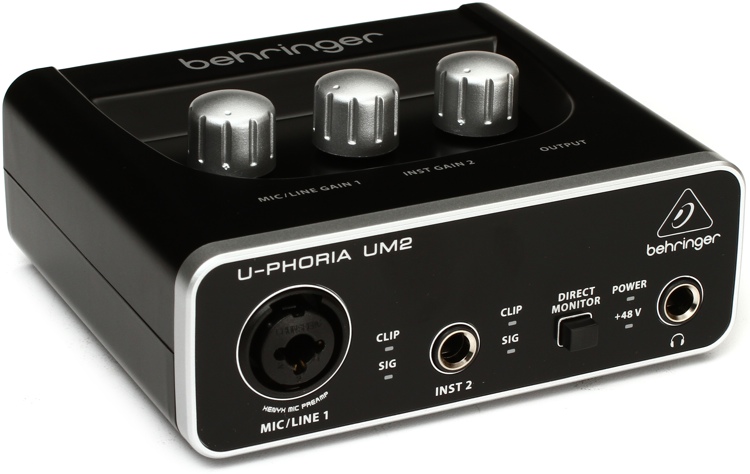
Current price: $29.99 for a 1-channel (1 mic) and $79.99 for a 2-channel (2 mic)
Best Midrange Audio Interface For A Solo Podcaster
If you plan to start a one-person podcast, and need to use only one microphone, I recommend the: Audient iD4 USB Audio Interface
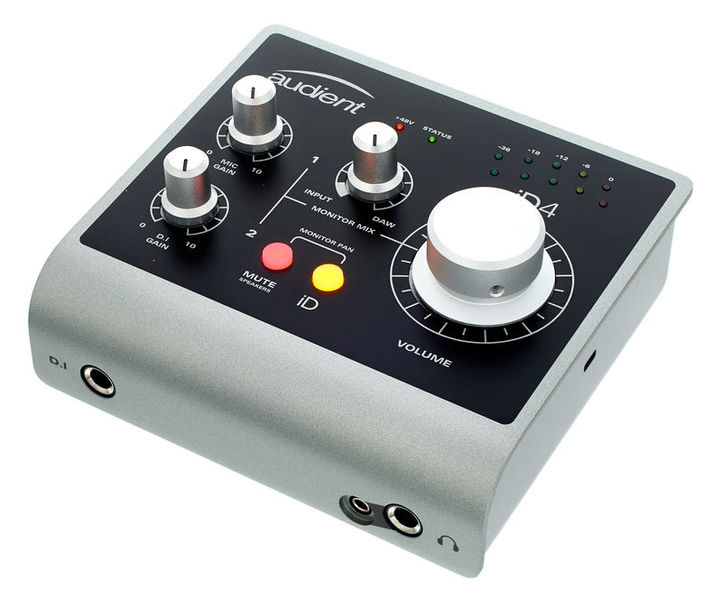
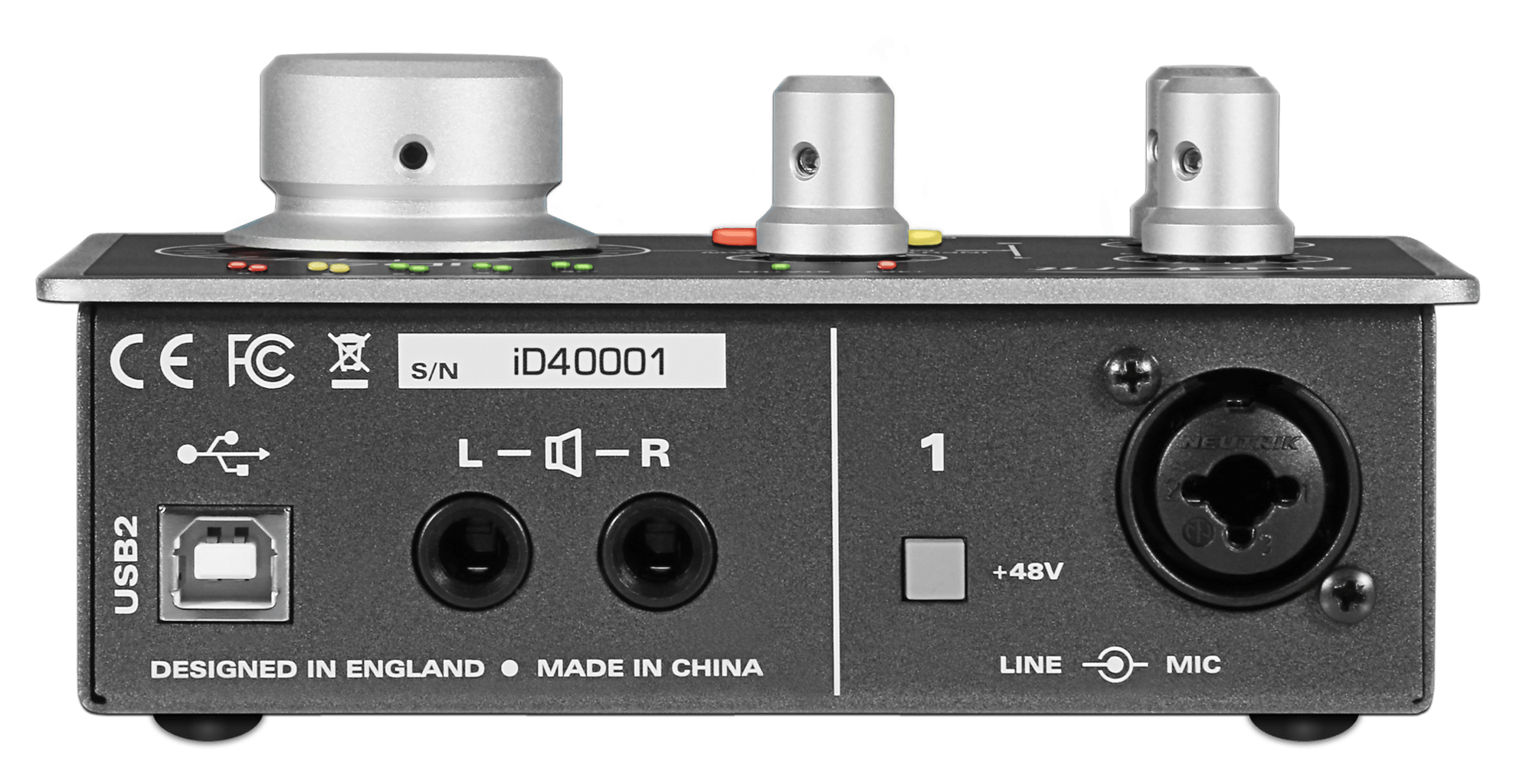
Price as of writing this article: $199
What you will need to buy in addition to the Audient iD4: Mic, Mic Cable, Headphones
The Audient iD4 had excellent reviews on amazon, it had the best reviews of any low to mid cost audio interface. If I were buying a new audio interface today I would purchase the Audient iD4.
NOTE: The Audient iD4 has only one microphone input so only one mic will be able to be used without purchasing additional equipment such as a mixer or upgrading the audio interface from an Audient iD4 to an Audient iD14.
Best Midrange Audio Interface For A Dual (2 mic) Podcast Setup
The Audient iD14 has 2 mic inputs so 2 mics would be able to be used.
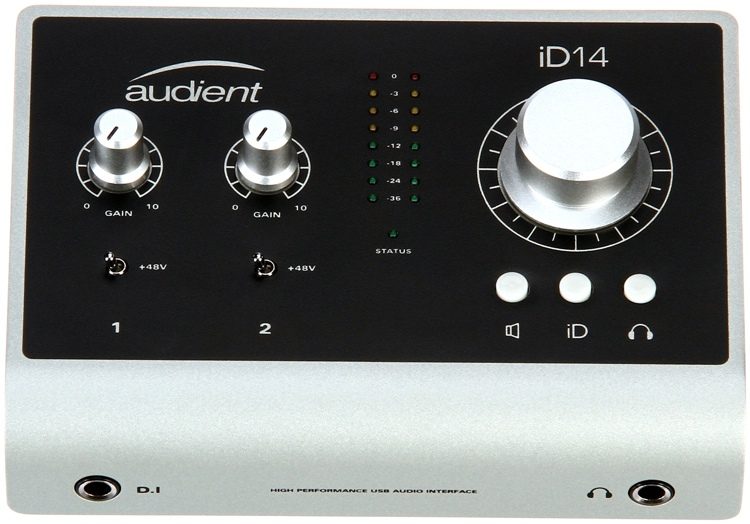
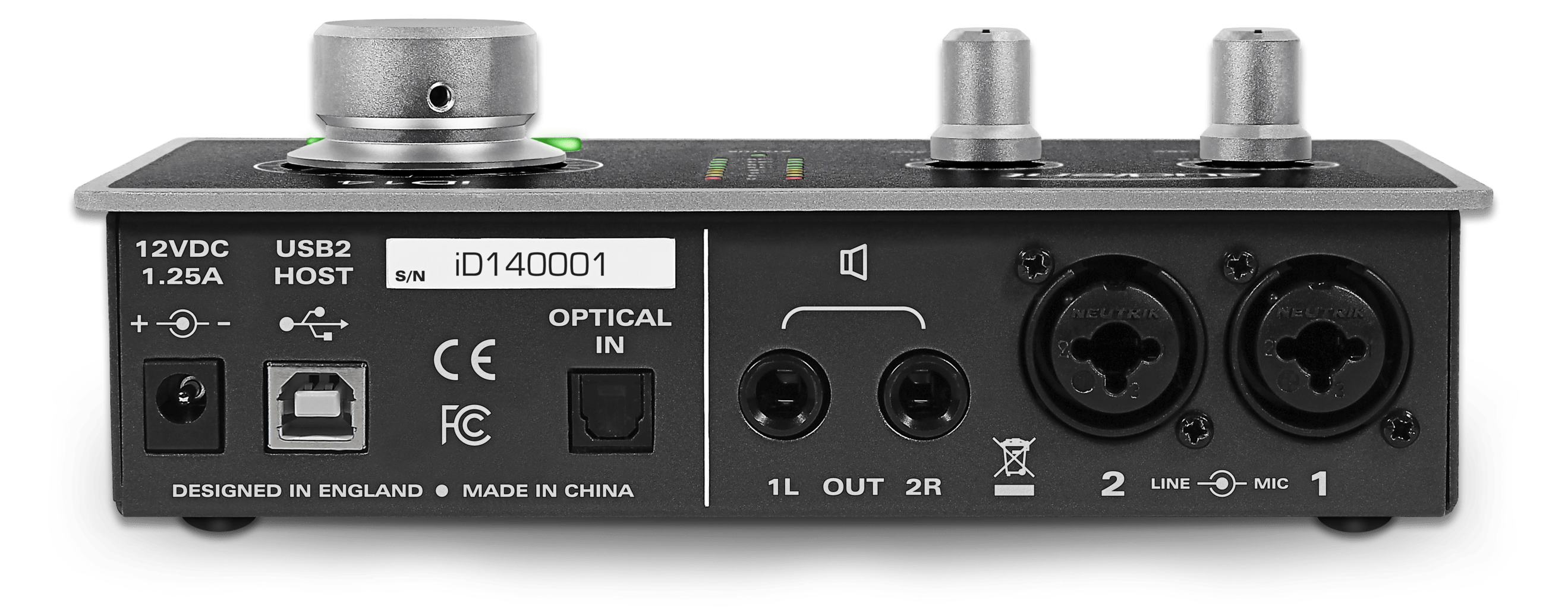
The Audient iD14 runs $299 as of this writing.
Best High-End Audio Interface For Podcasting
Best High-End Podcast Interface: Apollo Twin
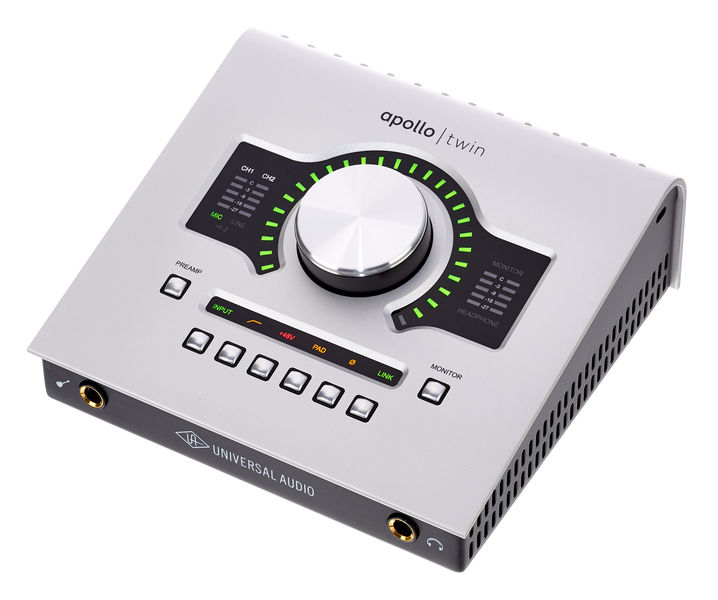
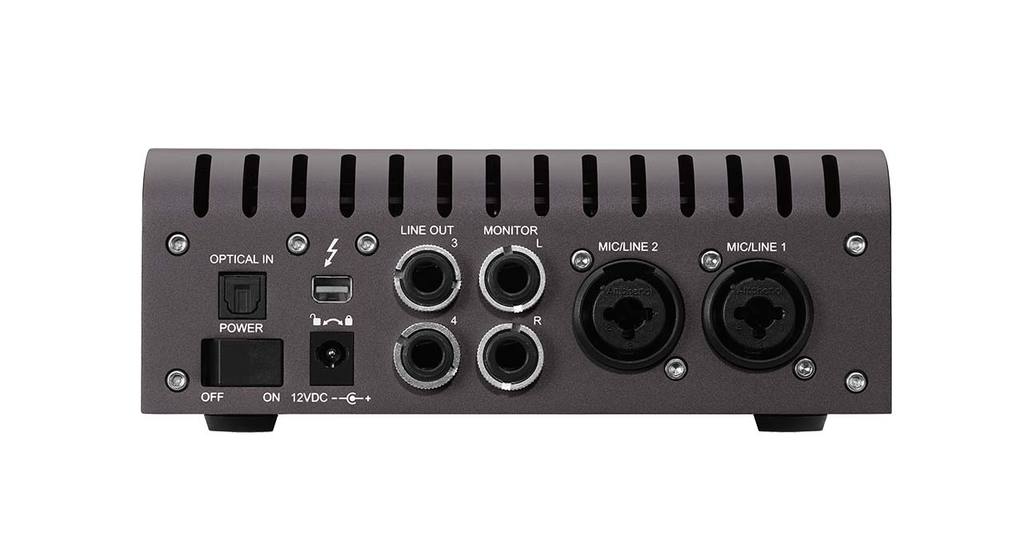
Price as of writing this article: $899
What you will need to buy in addition to the Apollo Twin: Mic, Mic Cable, Headphones
The Apollo Twin is exactly what I use to record the Bold and Determined Podcast.
I bought the Apollo Twin two years ago and i'm still learning it. I learn more about it day after day and the more I learn, the more I like it.
It took me a while to learn the thing but once I learned it, it's great and very powerful.
The Apollo Twin has 2 mic inputs so you can record up to 2 people with this unit.
How it works: Plug your mic into the Apollo Twin, plug the Apollo Twin into the computer via the USB cable.
NOTE: The Apollo Twin can be purchased with a USB connection or with a thunderbolt connection.
Please verify which connection/port you have on your computer. If you do not have a thunderbolt port on your computer, you would need to purchase the USB version.
Do you need a mixer to podcast?
A mixer is not required to record your own high-quality podcast.
You can use the microphones and the audio interfaces I have listed above to start and record a very high-quality digital podcast, nothing else required.
However, you can use your audio interface for up to 2 people only.
If you want to have more than 2 people on your podcast you will need to purchase a mixer.
A mixer will give you 2, 4, 6, 8, or more channels to plug your microphone into.
Best Mixer for Podcasting
If you want to record a podcast with more than 2 people I recommend the Yamaha MG10XU mixer.
The MG10XU will give you 4 mic inputs allowing you to potentially record up to 5 people (remember, you will have one free channel available still on your audio interface).
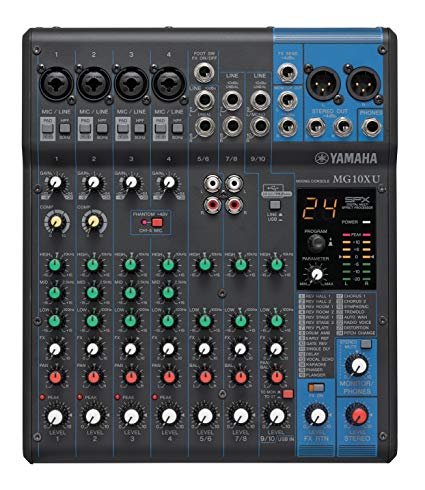
Current price: $199
This is how you can record more than 2 people on a podcast…
You can plug your microphones directly into your mixer -> then plug your mixer directly into your audio interface -> then plug your audio interface directly into your computer.
Again, a mixer is not required unless you want to record more than 2 people on your podcast.
Best Headphones For Podcasting
Headphones are necessary for the podcaster because you will need to check your sound levels on your mic and you will want to hear yourself during the recording.
Using headphones helps to keep you focused on the recording and ensures you do not move away from the microphone.
Many people who record a podcast without headphones have the tendency to not always speak into the microphone.
With a quality mic and an audio interface you will absolutely need to purchase headphones.
If you use the cheaper USB mics you will not need headphones, though they will be very helpful.
NOTE: If you already have decent quality headphones you don't need to buy new ones, unless you wish to have better quality sound in your ear.
Best Ultra-Cheap Headphones for Podcasting
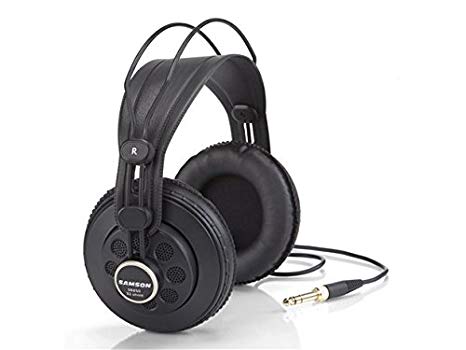
Current price: $29
Best Cheap Headphones for Podcasting
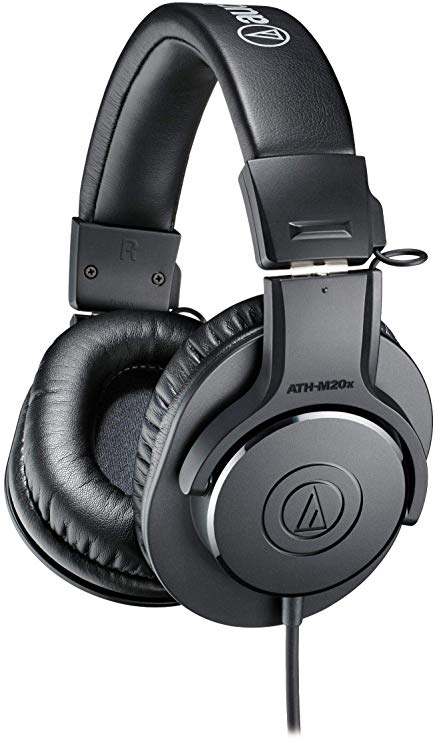
Current price: $49
Best Midrange Headphones for Podcasting
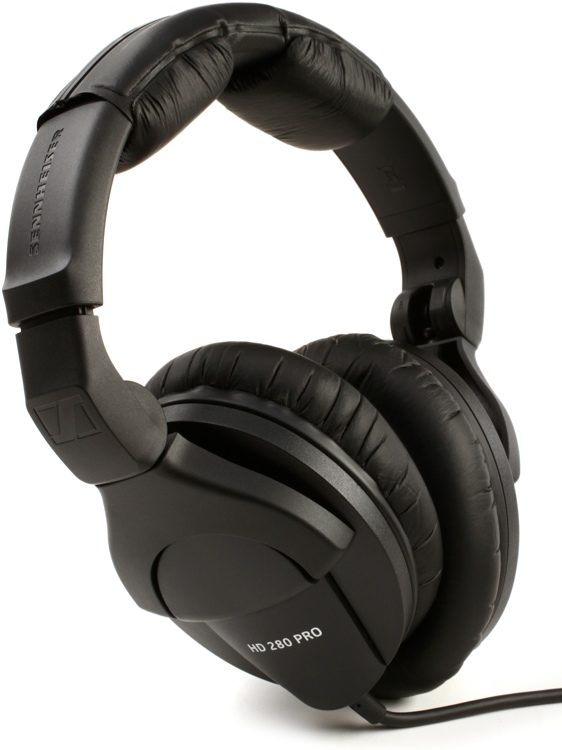
Current price: $99
Best High-End Headphones for Podcasting
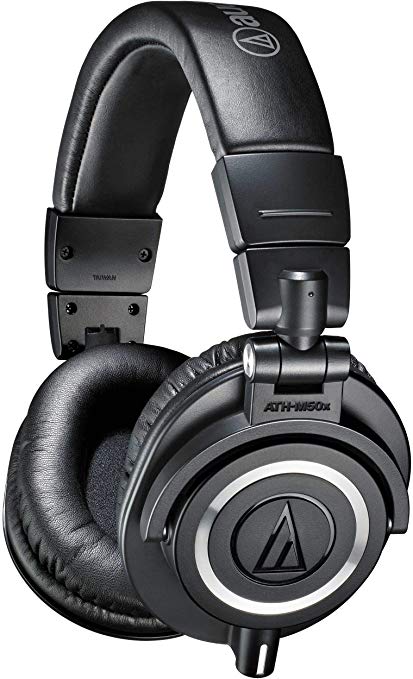
Current price: $149
Best Podcast Recording Software
There is one great (and free) software option for recording your podcast: Audacity
In part 2 of this series I will teach you exactly how to record your podcast using Audacity.
If you're anxious to get started is very simple…
Plug in your mic to your audio interface, plug in your mic to your computer, open up Audacity, and hit the record button.
When you're finished recording save your file as an mp3 or wav file and then upload that file to your podcast player of choice (Soundcloud for example).
Recommended Podcast Equipment Setups (Recap)
Ultra-Cheap Podcast Setup:
- Blue Snowball iCE Mic
- Audacity recording software (free)
- Samson SR850 Headphones (not required but helpful)
Cheap Podcast Setup:
- Blue Yeti Mic
- Audacity recording software (free)
- Audio-Technica ATH-M20x Headphones (not required but helpful)
Midrange Podcast Setup:
- Rode Procaster Mic
- Rode PSM1 Shock Mount
- Audient iD4 Audio Interface (for one person) or
- Audient iD14 Audio Interface (for two people)
- Sennheiser HD280PRO Headphones
- XLR Mic Cable
- Mic Stand
- Audacity recording software (free)
- OPTIONAL: YamahaMG10XU Mixer (Only necessary if you want to record more than 2 people)
High-end Podcast Setup:
- Shure SM7B Mic
- Apollo Twin Interface
- Audio-Technica ATH-M50x Headphones
- XLR Mic Cable
- Rode PSA1 Mic Arm
- Audacity recording software (free)
- OPTIONAL: YamahaMG10XU Mixer (Only necessary if you want to record more than 2 people)
How To Get Started With The Best Podcast Equipment
With the podcast equipment listed above, absolutely anybody can record their own podcast.
You can get your voice out to the world.
It is a new world, and there is no reason to be stuck listening to the radio saying “wow, there is nothing good on the radio!”
It's up to you to MAKE something good.
And now, you can.
In part 2 I will show you exactly how to record your podcast on your computer.
In part 3 I will show you how to upload your recently recorded podcast to iTunes, YouTube, Soundcloud, and all of the others.
Until then, friends.
Your man,
-Victor Pride
Excellent article, also looking forward to the article on minimal travelling!
Thanks!
Great info, thanks for sharing.
Thanks friendly friend!
Checked out the Yamaha mixer, and from the description, it appears it can be plugged directly into the computer without the need for a separate audio interface. Is this correct?
Correct.
Are there successful podcasts with people going solo or do they need at least another person to help them, to have a conversation if you will? Thanks
Bill Burr does a very successful solo podcast.
Victor - If you were starting over would you blog or podcast?